
Plan projects, track time, manage your team's capacity, and see profitability in real time — all in one system purpose-built for how interior design firms work.
Pillar 01 — Project Management
Plan, deliver, and measure
every project
From project structure and FF&E specs to Gantt planning, profitability tracking, and CRM — the full project lifecycle in one system.
01 — Project Structuring & Organisation
Projects structured the way design firms think
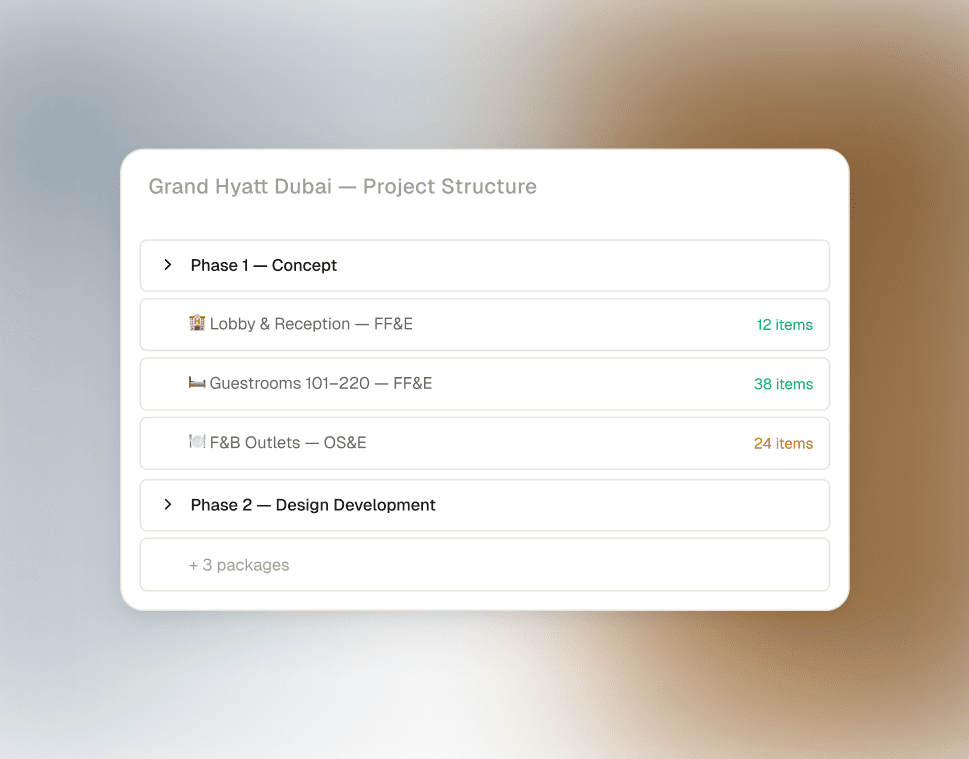
Organise every project by areas and packages (FF&E, OS&E). Multi-phase support for complex hospitality projects. Reusable project templates so you never start from scratch. One centralised data layer — no scattered folders or versioned spreadsheets.
02 — Specification Management
Your unfair advantage. FF&E specs built into the platform.
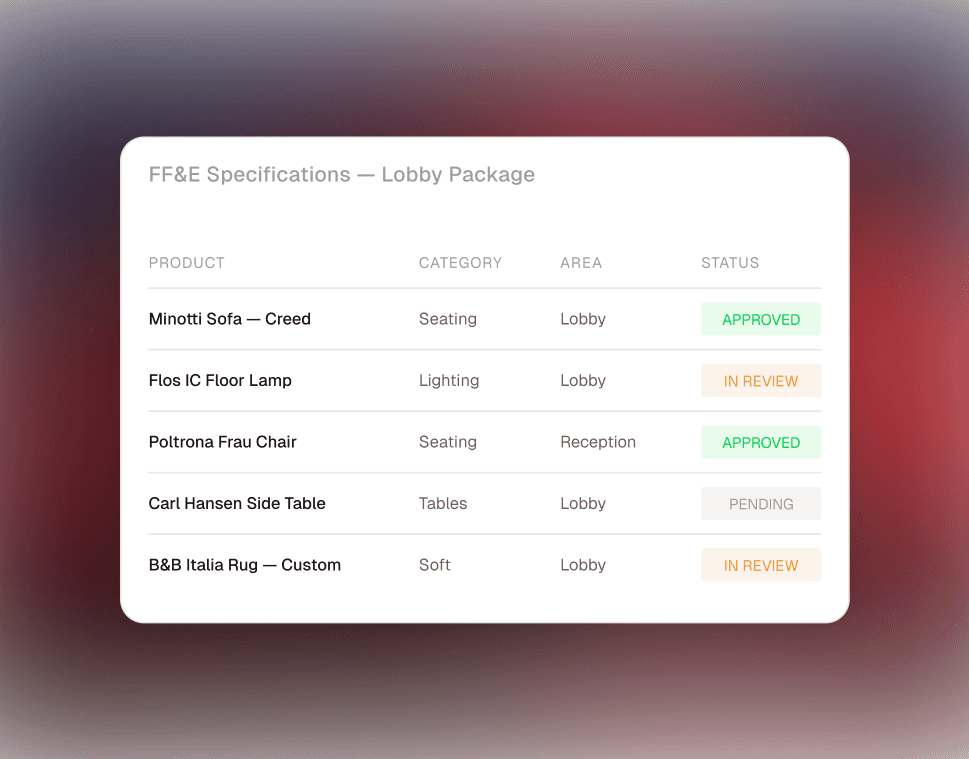
Create and manage detailed product specifications with a centralised product database. Maintain approved alternates. Organise by package, area, and category. Generate submittal-ready documentation in minutes — not the hours you currently spend in InDesign.
03 — Resource Planning & Allocation
Gantt-style planning. Multi-user task allocation.
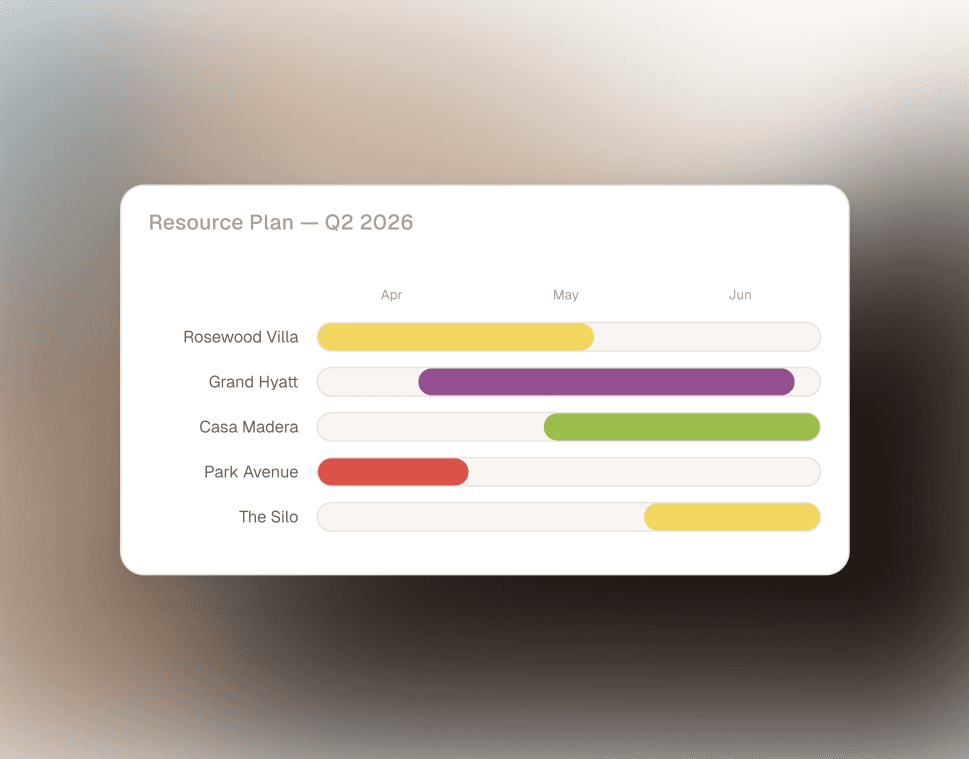
Assign team members to projects and tasks with a forward-planning Gantt view. Multiple people per task, tracked individually. See your full delivery timeline across all active projects — without opening a single spreadsheet.
04 — CRM & Sales Pipeline
Your pipeline, client history, and follow-ups — in one place
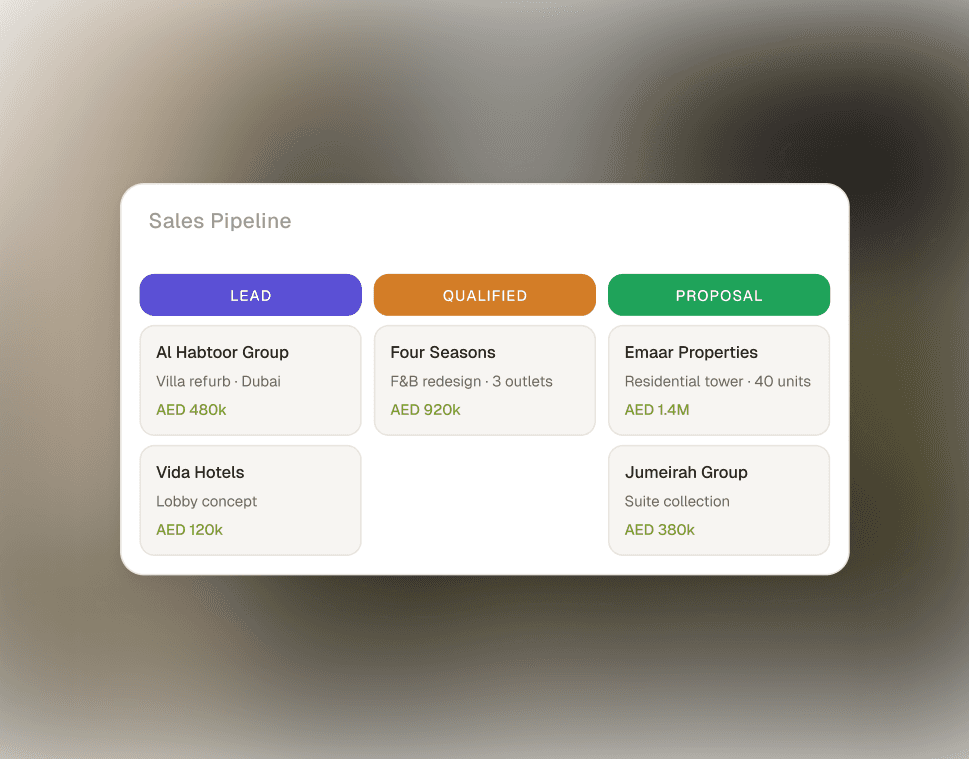
Live view of your entire sales pipeline with conversion tracking and communication history. Centralised contact database for clients and vendors. Set follow-up reminders and filter lists for targeted outreach. Stop losing opportunities to inbox chaos.
05 — Profitability & Reporting
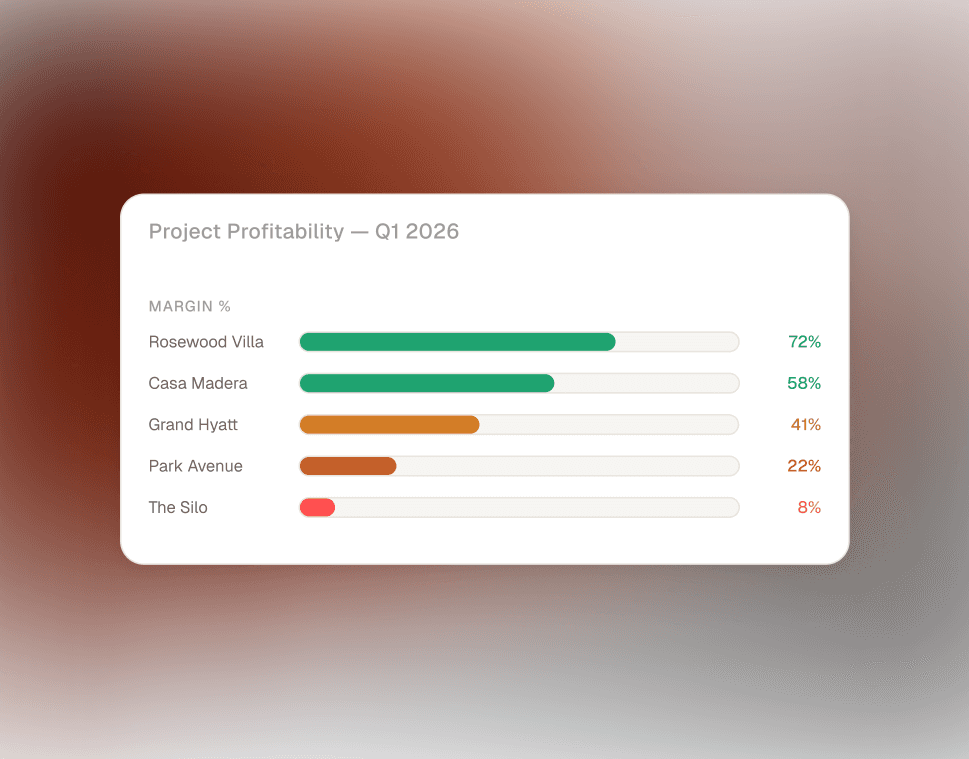
Real-time P&L per project. No more end-of-month surprises.
Built from time logs, activities, invoices, and allocations — your project profitability is always live. Performance tracking, delivery forecasting, and spend vs. budget visibility. The reporting you've always wanted without exporting to Excel first.
Every hour accounted for.
Nothing leaking.
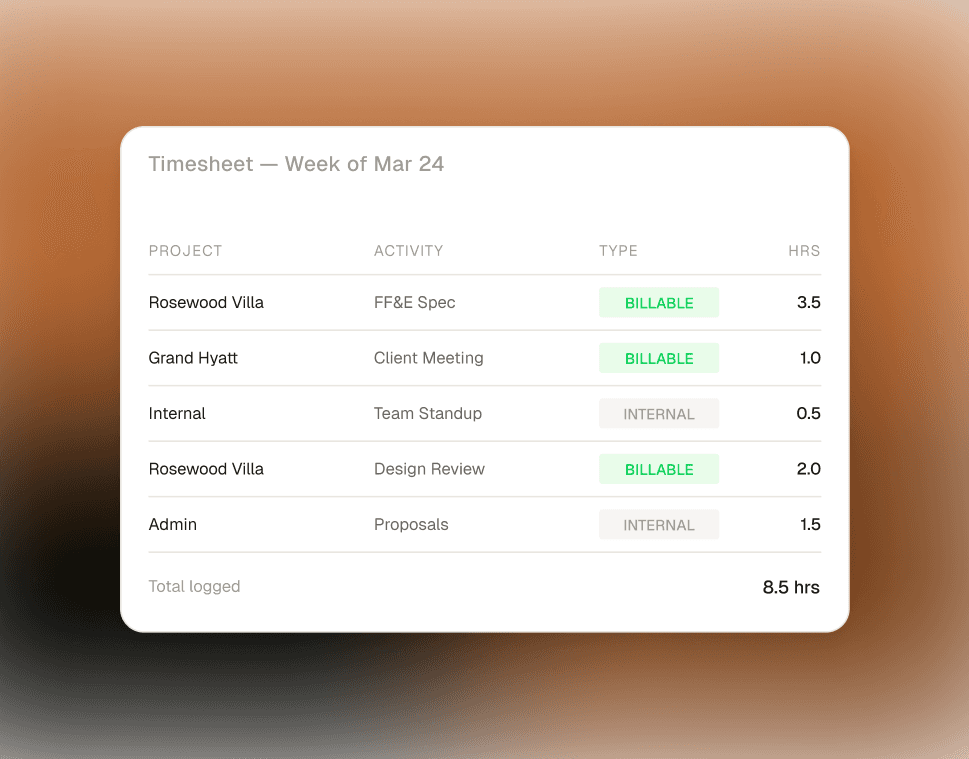
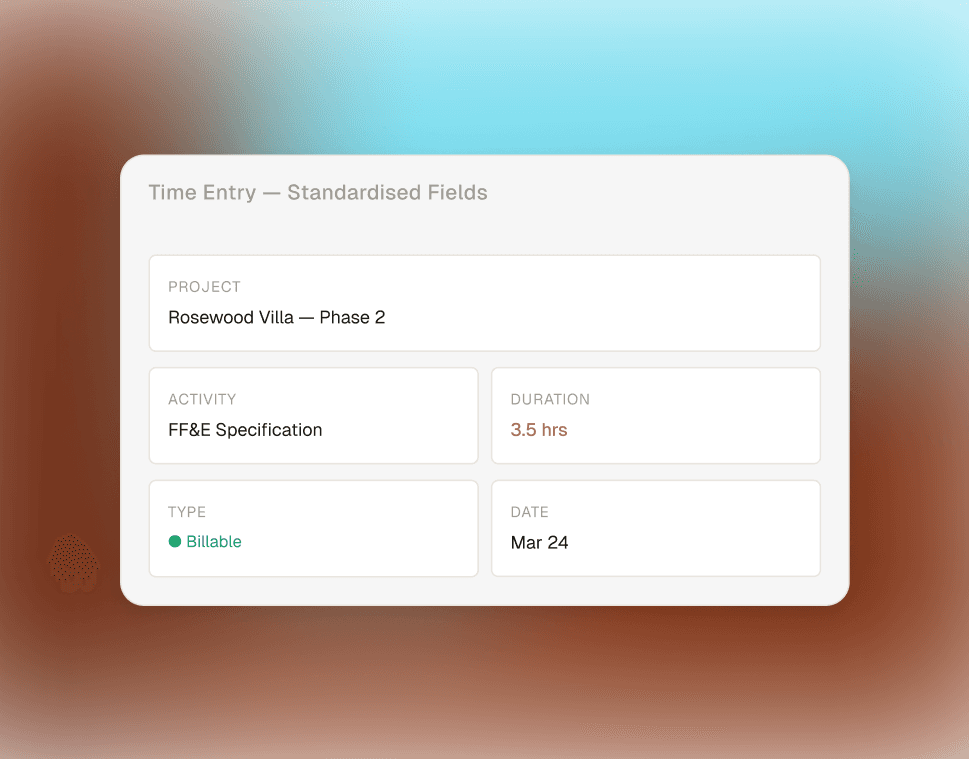
Time logging, activity categorisation, internal vs billable separation, and data standardisation across your whole team — so your reporting actually means something.
06 — Time Tracking & Logging
Time logged against projects, not just "work"
Log time hourly, daily, or weekly — directly against specific projects and activities. Configurable fields include start time, billable flag, and freeform comments. Standardised across every team member so reports are apples-to-apples.
07 — Task & Activity Management
Structure how time is categorised — not just captured
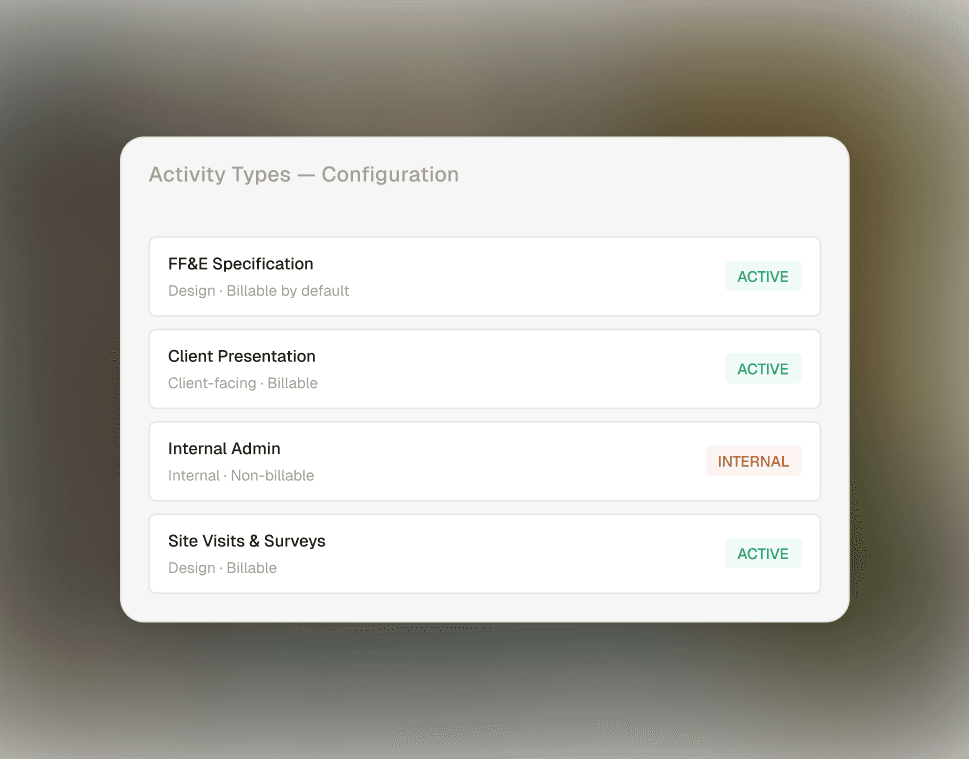
Define activity types (design, admin, site visits, client calls) and log them across projects, sales opportunities, and internal operations. Custom activity configurations mean your data reflects your firm's actual workflow — not a generic template.
08 — Resource Utilisation Tracking
Planned vs actual — per person, per week
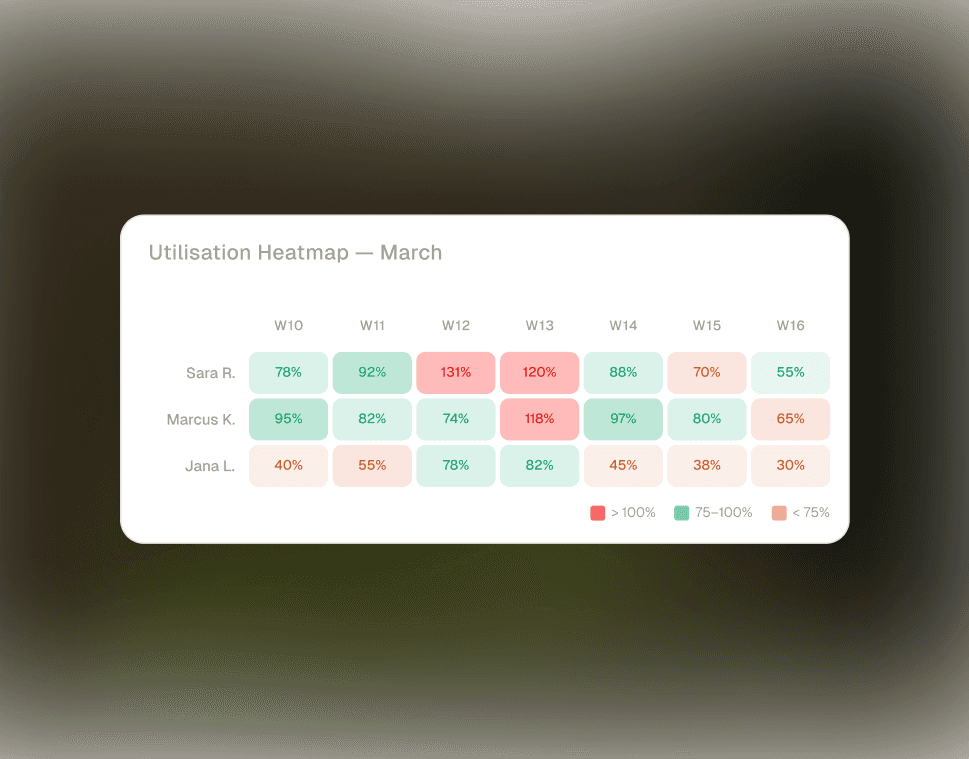
Track available hours, estimated hours, and actual hours for every team member. Daily and weekly workload heatmaps make under and over-allocation visible at a glance. This is where most firms discover their margin is going.
09 — Data Standardisation & Control
Consistent inputs = reporting you can actually trust
Centralised configuration of activity types, entry fields, and workflows ensures every team member logs time the same way. No more one person calling it "client call" and another "meeting". Consistent structure across all projects makes reporting meaningful.
Pillar 03 — People Management
Control who does what,
and when
Role-based access, capacity visibility, approval workflows, and leave management — all in one place. No more "everyone has access to everything."
10 — Role-Based Access & Permissions
Granular control over every part of the platform
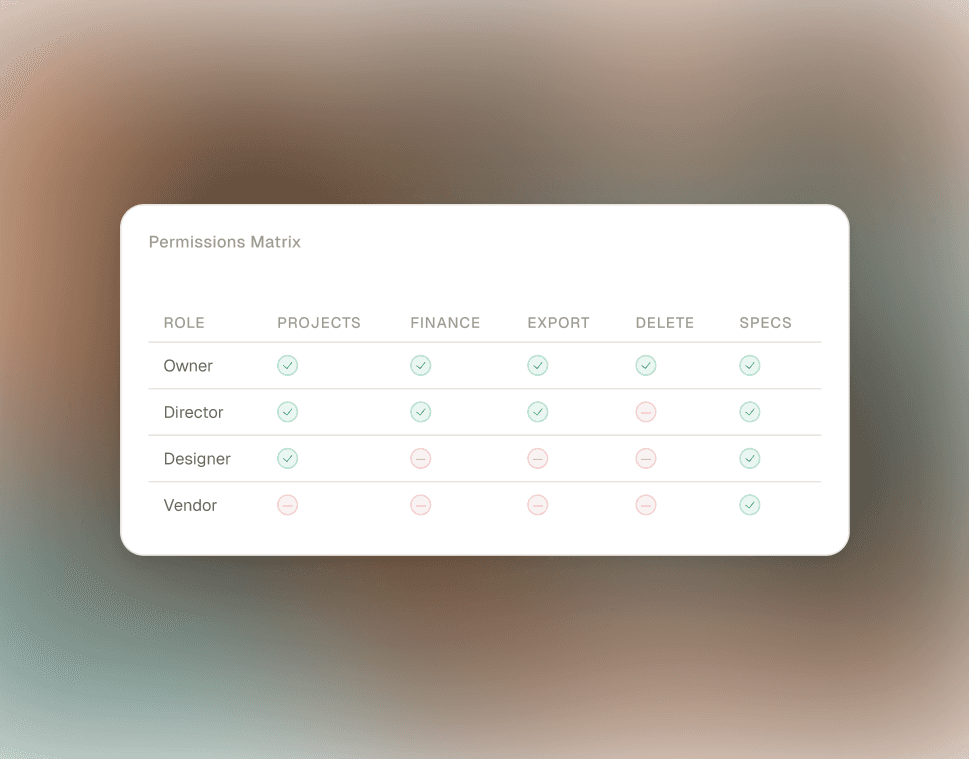
Define exactly what each team member can view, create, update, or delete — across projects, activities, sales, and packages. Special permission flags for finance access, data exports, and project deletion rights ensure nothing sensitive is exposed by accident.
11 — Approval Workflows
Multi-level, sequential approvals — built in
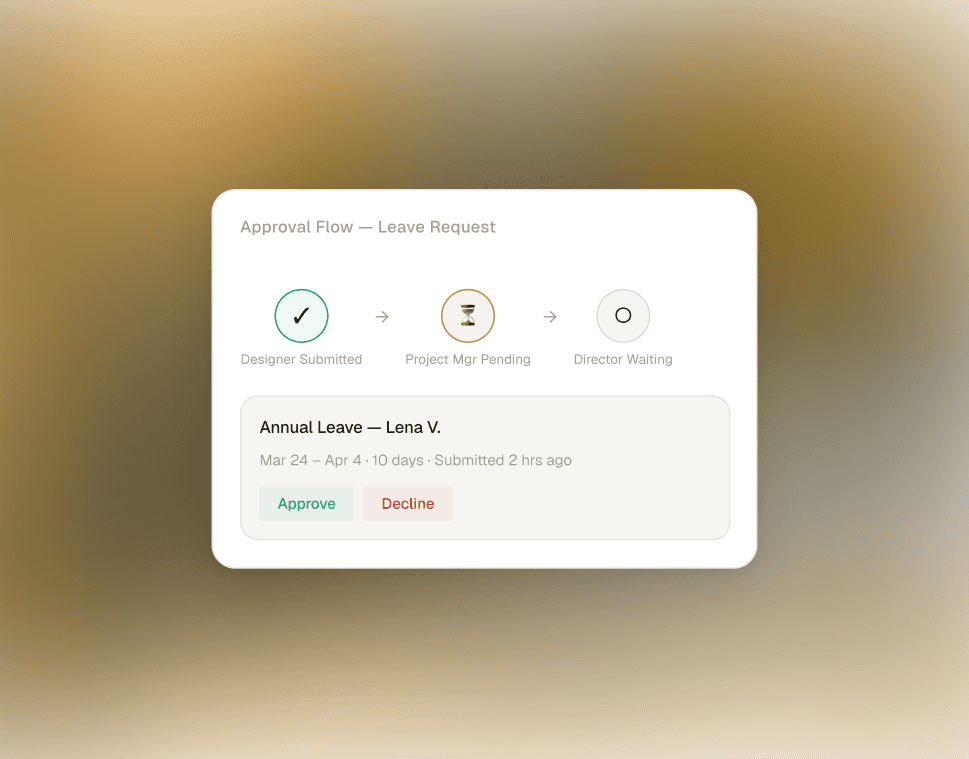
Define multi-tier approval chains (e.g. Designer → Project Manager → Director) with sequential logic. Control who can submit, who can approve, and what triggers each stage. Governance without the email chain.
12 — Capacity Management
See who's overloaded before you commit
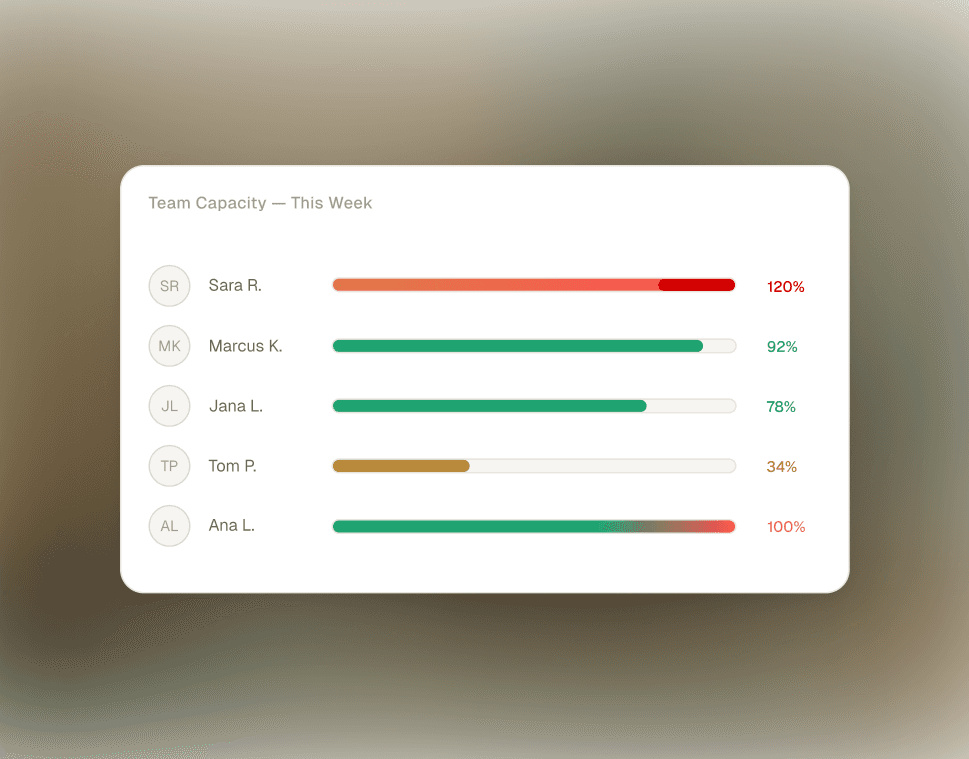
Real-time bandwidth view across your entire team. Spot overloaded designers, underutilised juniors, and hiring gaps — before you say yes to the next project. Stop managing capacity from memory.
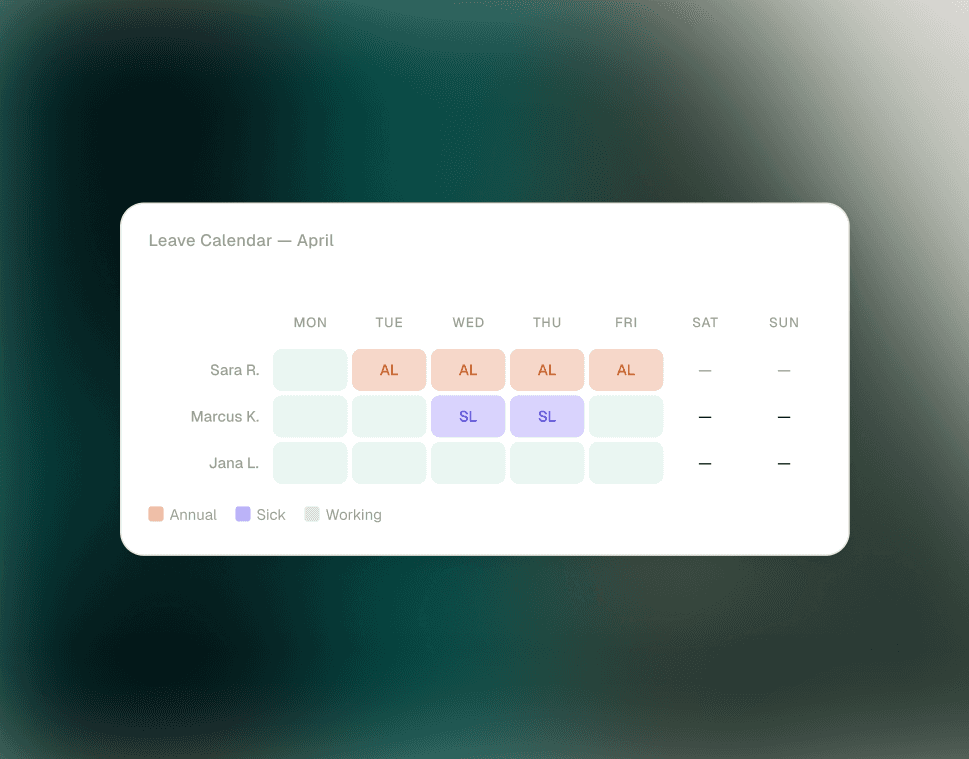
13 — Leave & Work Hour Configuration
Availability that reflects reality
Define annual leave, sick leave, and custom leave types. Set working hours per week per person and adjust dynamically. Because your capacity numbers are only meaningful when they account for who's actually in the office.
Stop paying for six tools that
don't talk to each other
Every tool below has been replaced by a firm that now runs on .STUDIO
Excel / Google Sheets
replaced
Spec tracking, timesheets, resourcing, P&L
InDesign
replaced
FF&E specification documents & tear sheets
Harvest / Toggl
replaced
Time tracking & billable hour logging
Float / Resource Guru
replaced
Resource planning & capacity management
HubSpot / Pipedrive
replaced
CRM, pipeline tracking & client contacts
Xero / invoicing tools
replaced
Invoice creation & cash flow management
45 minutes · No obligation · Tailored to your studio.
Free PM Audit
Find out exactly where your
projects are breaking down.
In 45 minutes, we'll map your current PM workflow, identify where time and margin are leaking, and show you precisely how .STUDIO closes the gaps — with no obligation to proceed.
0
0
0
0
1
1
1
Map your current workflow
We document how your team manages projects, logs time, and tracks delivery and profitability today.
0
0
0
0
2
2
2
Identify the gaps
Where capacity is being misjudged, time is leaking, specs are versioned manually, and margin is invisible until it's too late.
0
0
0
0
3
3
3
See the solution
A live walkthrough of how .STUDIO handles your specific workflow — tailored to your studio size, structure, and project types.
45 minutes · No obligation · Tailored to your studio.