
.STUDIO makes design simpler
Features that enable design teams of all sizes to drive growth and achieve project success.
PRODUCT SPECIFICATIONS
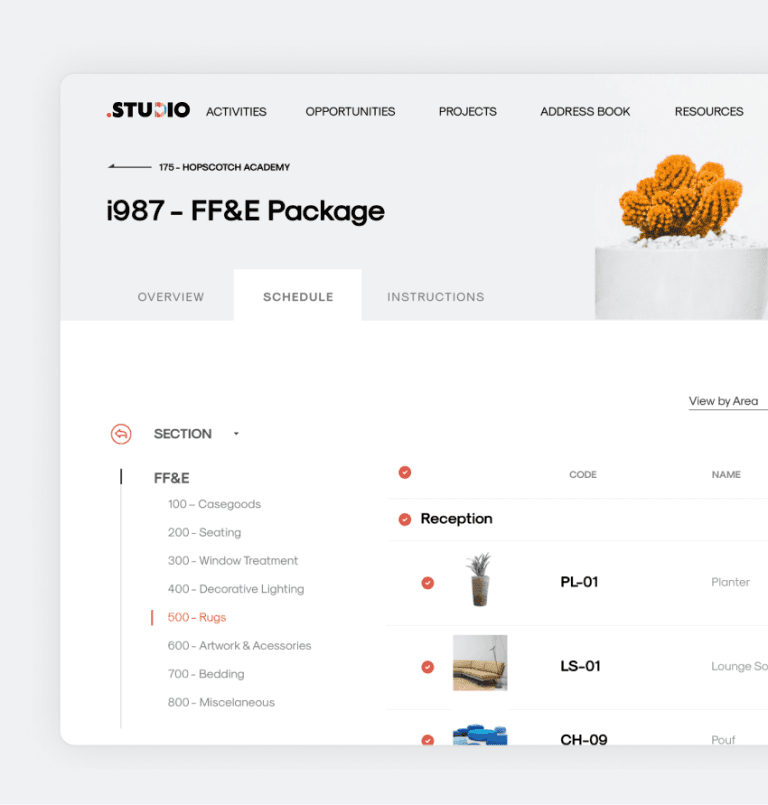
Move beyond Spreadsheets
Ditch Excel and InDesign for a tool built for interior design. Create product specs and tear-sheets effortlessly, collaborate online in real-time, and manage revisions and approvals in minutes.
MANAGE SALES OPPORTUNITIES
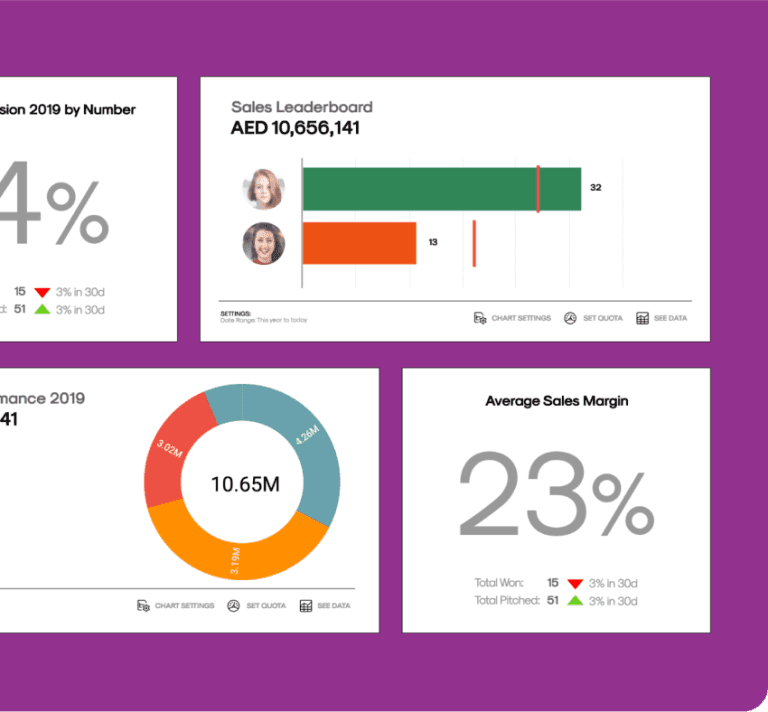
Project sales teams - organized!
Stop wasting time on manual reports. Get a live view of your entire pipeline, track conversion chances, and monitor communication history to close deals faster.
MANAGE YOUR PROJECTS
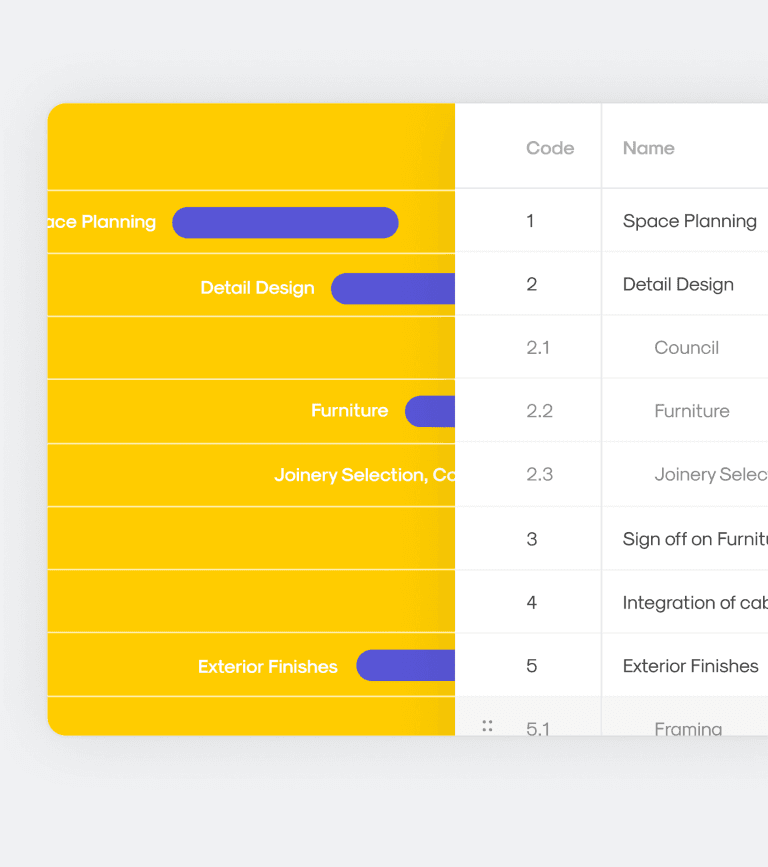
Your team’s project workflow platform
Track progress and profitability in real-time to catch issues early. Streamline quoting, invoicing, and cash flow in one integrated tool, giving you full visibility across your organization.
TRACK TIME AND RESOURCES
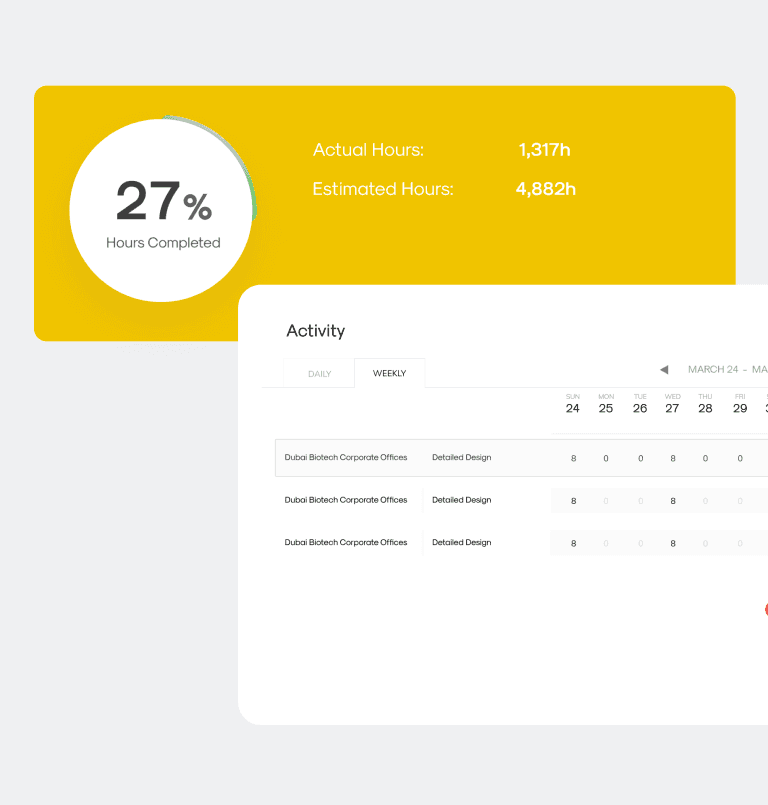
Weekly Timesheets done in minutes
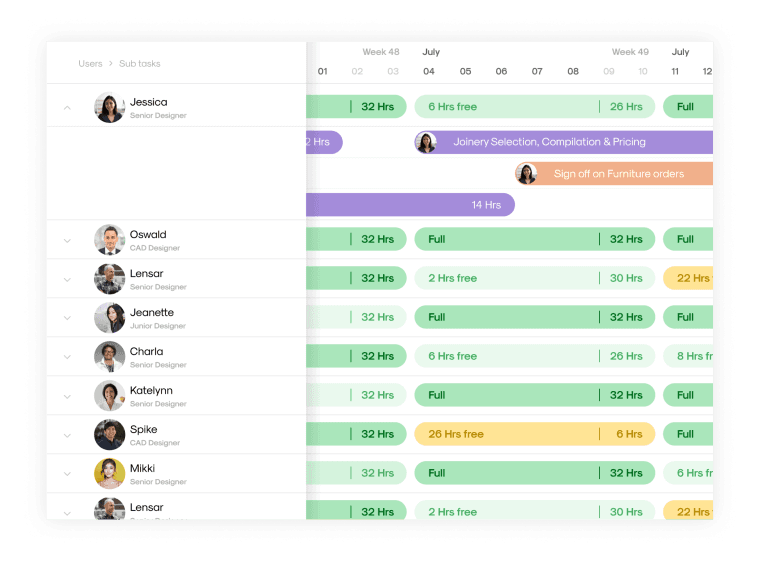
Record time directly against projects—hourly, daily, or weekly. Track activities in real-time to visualize team availability, preventing over-booking and cost overruns.
CENTRALIZED ADDRESSBOOK
All contacts - updated centrally
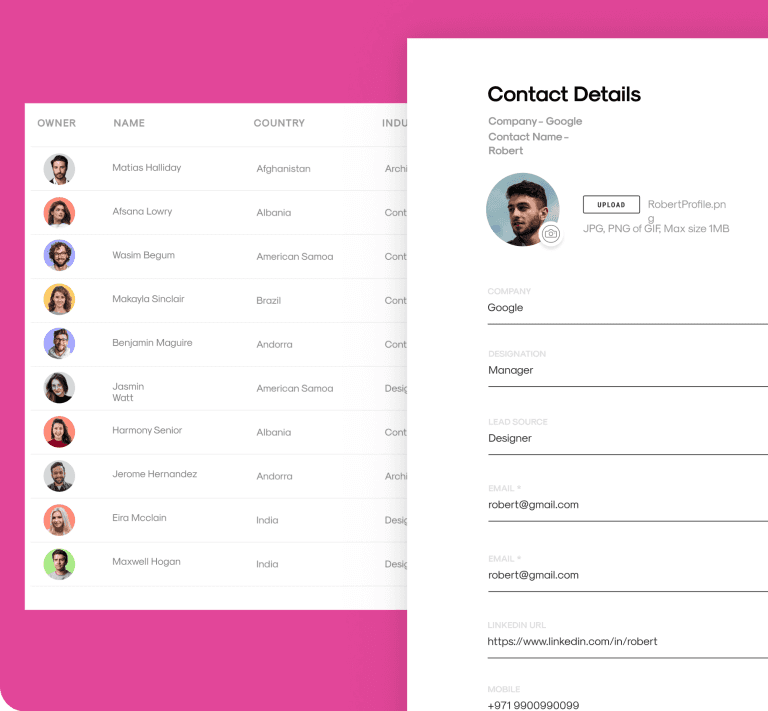
Keep all contacts and communication history in one unified place. Track interactions with clients and vendors, set follow-up reminders, and filter lists for easy marketing.
INVOICES
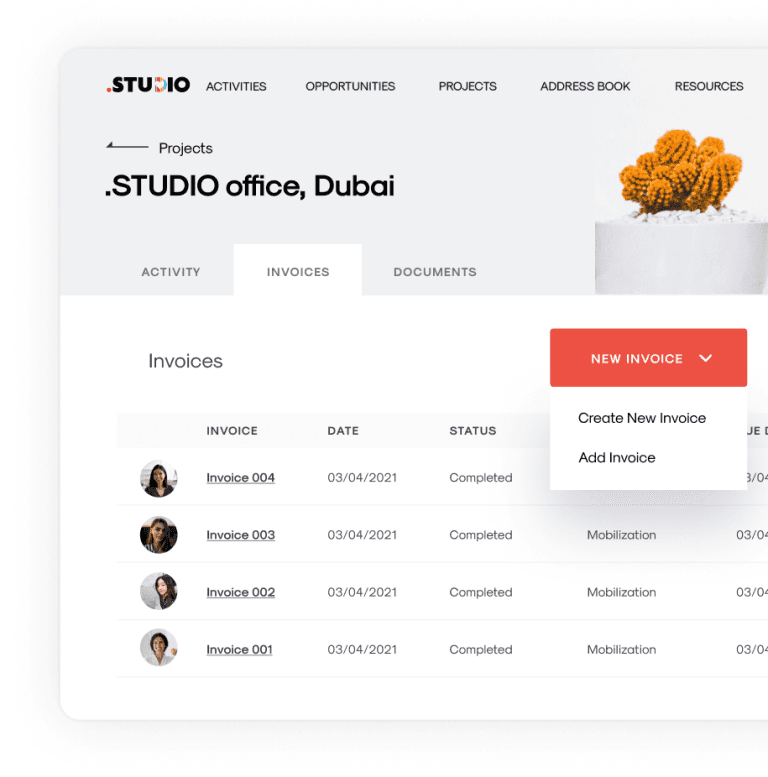
Create and streamline your invoices
Streamline invoicing to boost efficiency and spot wasteful spending. Manage cash flow intelligently so you can focus on growing your business.
RESOURCE PLANNING
Deliver the best results for projects by being more organized
Leave spreadsheets behind. Plan your team’s time and schedule resources effectively to eliminate errors and missed deadlines, saving up to four hours a week.
DATA SECURITY
Share info, securely & selectively
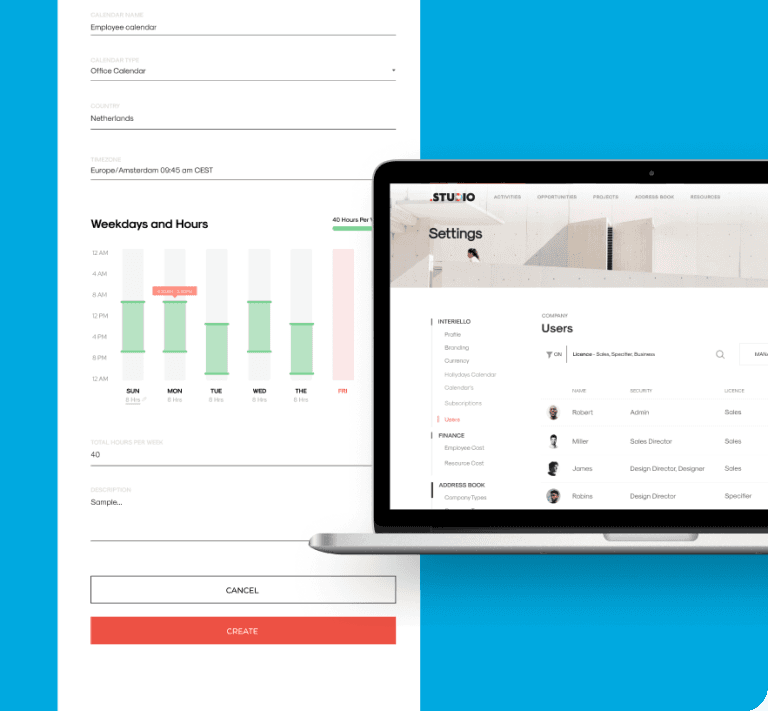
We protect your data with best-in-class security and daily backups. Easily configure access levels for your team, ensuring sensitive financial info stays secure.
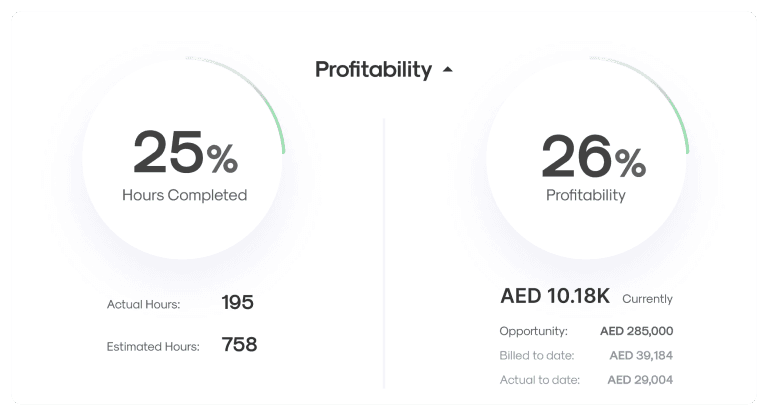
PROFITABILITY
Manage your budget and track profitability
Profitability is one of the most important parameters to understand if you’re measuring your company’s financial operations correctly. Get a quick, real-time view of the profitability of your project with .STUDIO.
FAQ
Your questions, answered
Find clear and comprehensive solutions to your queries about .STUDIO’s process, plans, and services.
Platform & Features
Find clear and comprehensive solutions to your queries about .STUDIO’s process, plans, and services.
User Roles & Access
What are the different user types in .STUDIO?
• Core Users: Full access to all features based on plan (Starter or Pro).
• Basic Users: Limited access for internal team members to view data, log time, and manage tasks.
• Vendor Users: Temporary, invite-only access to contribute quotes or documents to specific projects.
What’s included with each Core User license?
Each Core license includes:
• 3 free Basic Users (across all plans)
• 5 free Vendor seats (Pro plan only) Additional Basic and Vendor seats can be purchased as needed.
Can I upgrade or add users later?
Yes. You can add users or upgrade your plan at any time. Billing adjusts automatically.
Can clients or stakeholders access the platform?
Yes, via Vendor or Viewer roles. You control what they can see and interact with.
Billing & Pricing
How is pricing structured?
Pricing is based on Core User licenses. Each includes free Basic and Vendor users. You can purchase more if needed. Plans are billed monthly or annually.
What payment methods do you accept?
All major credit cards via Stripe. Invoicing options may be available for larger teams.
Is there a free trial or demo?
We offer a guided 15-minute demo tailored to your studio’s needs. From there, we can activate your workspace and begin onboarding.
Do I need a credit card to get started?
Not for the demo. Once you’re ready to subscribe, you’ll need a valid card for billing.
Can I cancel anytime?
Yes. You’ll retain access through the end of your billing cycle. Data is archived for a limited time post-cancellation.
Can I downgrade or switch plans?
Yes. You can switch between Starter and Pro anytime. Just reach out to support.
Onboarding & Support
Is there an onboarding fee?
No. Onboarding is included with all plans. The first three months are considered the onboarding phase, during which we support setup, training, and initial usage.
What does onboarding include?
• Workspace setup
• Feature walkthroughs
• Team training
• Help configuring your product library and specifications
How do I get support?
• All plans include email support and access to our Knowledge Base.
• Pro users also get live chat support.
How secure is my data?
Your data is encrypted and stored securely on cloud infrastructure. We maintain regular backups and follow bestD practices for data privacy and reliability.
Can I access .STUDIO from different regions or offices?
Yes. It’s built for distributed teams and works across regions, time zones, and devices.
FAQ
Your questions, answered
Find clear and comprehensive solutions to your queries about .STUDIO’s process, plans, and services.
Platform & Features
Find clear and comprehensive solutions to your queries about .STUDIO’s process, plans, and services.
User Roles & Access
What are the different user types in .STUDIO?
• Core Users: Full access to all features based on plan (Starter or Pro).
• Basic Users: Limited access for internal team members to view data, log time, and manage tasks.
• Vendor Users: Temporary, invite-only access to contribute quotes or documents to specific projects.
What’s included with each Core User license?
Each Core license includes:
• 3 free Basic Users (across all plans)
• 5 free Vendor seats (Pro plan only) Additional Basic and Vendor seats can be purchased as needed.
Can I upgrade or add users later?
Yes. You can add users or upgrade your plan at any time. Billing adjusts automatically.
Can clients or stakeholders access the platform?
Yes, via Vendor or Viewer roles. You control what they can see and interact with.
Billing & Pricing
How is pricing structured?
Pricing is based on Core User licenses. Each includes free Basic and Vendor users. You can purchase more if needed. Plans are billed monthly or annually.
What payment methods do you accept?
All major credit cards via Stripe. Invoicing options may be available for larger teams.
Is there a free trial or demo?
We offer a guided 15-minute demo tailored to your studio’s needs. From there, we can activate your workspace and begin onboarding.
Do I need a credit card to get started?
Not for the demo. Once you’re ready to subscribe, you’ll need a valid card for billing.
Can I cancel anytime?
Yes. You’ll retain access through the end of your billing cycle. Data is archived for a limited time post-cancellation.
Can I downgrade or switch plans?
Yes. You can switch between Starter and Pro anytime. Just reach out to support.
Onboarding & Support
Is there an onboarding fee?
No. Onboarding is included with all plans. The first three months are considered the onboarding phase, during which we support setup, training, and initial usage.
What does onboarding include?
• Workspace setup
• Feature walkthroughs
• Team training
• Help configuring your product library and specifications
How do I get support?
• All plans include email support and access to our Knowledge Base.
• Pro users also get live chat support.
How secure is my data?
Your data is encrypted and stored securely on cloud infrastructure. We maintain regular backups and follow bestD practices for data privacy and reliability.
Can I access .STUDIO from different regions or offices?
Yes. It’s built for distributed teams and works across regions, time zones, and devices.
FAQ
Your questions, answered
Find clear and comprehensive solutions to your queries about .STUDIO’s process, plans, and services.
Platform & Features
Find clear and comprehensive solutions to your queries about .STUDIO’s process, plans, and services.
User Roles & Access
What are the different user types in .STUDIO?
• Core Users: Full access to all features based on plan (Starter or Pro).
• Basic Users: Limited access for internal team members to view data, log time, and manage tasks.
• Vendor Users: Temporary, invite-only access to contribute quotes or documents to specific projects.
What’s included with each Core User license?
Each Core license includes:
• 3 free Basic Users (across all plans)
• 5 free Vendor seats (Pro plan only) Additional Basic and Vendor seats can be purchased as needed.
Can I upgrade or add users later?
Yes. You can add users or upgrade your plan at any time. Billing adjusts automatically.
Can clients or stakeholders access the platform?
Yes, via Vendor or Viewer roles. You control what they can see and interact with.
Billing & Pricing
How is pricing structured?
Pricing is based on Core User licenses. Each includes free Basic and Vendor users. You can purchase more if needed. Plans are billed monthly or annually.
What payment methods do you accept?
All major credit cards via Stripe. Invoicing options may be available for larger teams.
Is there a free trial or demo?
We offer a guided 15-minute demo tailored to your studio’s needs. From there, we can activate your workspace and begin onboarding.
Do I need a credit card to get started?
Not for the demo. Once you’re ready to subscribe, you’ll need a valid card for billing.
Can I cancel anytime?
Yes. You’ll retain access through the end of your billing cycle. Data is archived for a limited time post-cancellation.
Can I downgrade or switch plans?
Yes. You can switch between Starter and Pro anytime. Just reach out to support.
Onboarding & Support
Is there an onboarding fee?
No. Onboarding is included with all plans. The first three months are considered the onboarding phase, during which we support setup, training, and initial usage.
What does onboarding include?
• Workspace setup
• Feature walkthroughs
• Team training
• Help configuring your product library and specifications
How do I get support?
• All plans include email support and access to our Knowledge Base.
• Pro users also get live chat support.
How secure is my data?
Your data is encrypted and stored securely on cloud infrastructure. We maintain regular backups and follow bestD practices for data privacy and reliability.
Can I access .STUDIO from different regions or offices?
Yes. It’s built for distributed teams and works across regions, time zones, and devices.
FAQ
Your questions, answered
Find clear and comprehensive solutions to your queries about .STUDIO’s process, plans, and services.
Platform & Features
Find clear and comprehensive solutions to your queries about .STUDIO’s process, plans, and services.
User Roles & Access
What are the different user types in .STUDIO?
• Core Users: Full access to all features based on plan (Starter or Pro).
• Basic Users: Limited access for internal team members to view data, log time, and manage tasks.
• Vendor Users: Temporary, invite-only access to contribute quotes or documents to specific projects.
What’s included with each Core User license?
Each Core license includes:
• 3 free Basic Users (across all plans)
• 5 free Vendor seats (Pro plan only) Additional Basic and Vendor seats can be purchased as needed.
Can I upgrade or add users later?
Yes. You can add users or upgrade your plan at any time. Billing adjusts automatically.
Can clients or stakeholders access the platform?
Yes, via Vendor or Viewer roles. You control what they can see and interact with.
Billing & Pricing
How is pricing structured?
Pricing is based on Core User licenses. Each includes free Basic and Vendor users. You can purchase more if needed. Plans are billed monthly or annually.
What payment methods do you accept?
All major credit cards via Stripe. Invoicing options may be available for larger teams.
Is there a free trial or demo?
We offer a guided 15-minute demo tailored to your studio’s needs. From there, we can activate your workspace and begin onboarding.
Do I need a credit card to get started?
Not for the demo. Once you’re ready to subscribe, you’ll need a valid card for billing.
Can I cancel anytime?
Yes. You’ll retain access through the end of your billing cycle. Data is archived for a limited time post-cancellation.
Can I downgrade or switch plans?
Yes. You can switch between Starter and Pro anytime. Just reach out to support.
Onboarding & Support
Is there an onboarding fee?
No. Onboarding is included with all plans. The first three months are considered the onboarding phase, during which we support setup, training, and initial usage.
What does onboarding include?
• Workspace setup
• Feature walkthroughs
• Team training
• Help configuring your product library and specifications
How do I get support?
• All plans include email support and access to our Knowledge Base.
• Pro users also get live chat support.
How secure is my data?
Your data is encrypted and stored securely on cloud infrastructure. We maintain regular backups and follow bestD practices for data privacy and reliability.
Can I access .STUDIO from different regions or offices?
Yes. It’s built for distributed teams and works across regions, time zones, and devices.
FAQ
Your questions, answered
Find clear and comprehensive solutions to your queries about .STUDIO’s process, plans, and services.
Platform & Features
Find clear and comprehensive solutions to your queries about .STUDIO’s process, plans, and services.
User Roles & Access
What are the different user types in .STUDIO?
• Core Users: Full access to all features based on plan (Starter or Pro).
• Basic Users: Limited access for internal team members to view data, log time, and manage tasks.
• Vendor Users: Temporary, invite-only access to contribute quotes or documents to specific projects.
What’s included with each Core User license?
Each Core license includes:
• 3 free Basic Users (across all plans)
• 5 free Vendor seats (Pro plan only) Additional Basic and Vendor seats can be purchased as needed.
Can I upgrade or add users later?
Yes. You can add users or upgrade your plan at any time. Billing adjusts automatically.
Can clients or stakeholders access the platform?
Yes, via Vendor or Viewer roles. You control what they can see and interact with.
Billing & Pricing
How is pricing structured?
Pricing is based on Core User licenses. Each includes free Basic and Vendor users. You can purchase more if needed. Plans are billed monthly or annually.
What payment methods do you accept?
All major credit cards via Stripe. Invoicing options may be available for larger teams.
Is there a free trial or demo?
We offer a guided 15-minute demo tailored to your studio’s needs. From there, we can activate your workspace and begin onboarding.
Do I need a credit card to get started?
Not for the demo. Once you’re ready to subscribe, you’ll need a valid card for billing.
Can I cancel anytime?
Yes. You’ll retain access through the end of your billing cycle. Data is archived for a limited time post-cancellation.
Can I downgrade or switch plans?
Yes. You can switch between Starter and Pro anytime. Just reach out to support.
Onboarding & Support
Is there an onboarding fee?
No. Onboarding is included with all plans. The first three months are considered the onboarding phase, during which we support setup, training, and initial usage.
What does onboarding include?
• Workspace setup
• Feature walkthroughs
• Team training
• Help configuring your product library and specifications
How do I get support?
• All plans include email support and access to our Knowledge Base.
• Pro users also get live chat support.
How secure is my data?
Your data is encrypted and stored securely on cloud infrastructure. We maintain regular backups and follow bestD practices for data privacy and reliability.
Can I access .STUDIO from different regions or offices?
Yes. It’s built for distributed teams and works across regions, time zones, and devices.